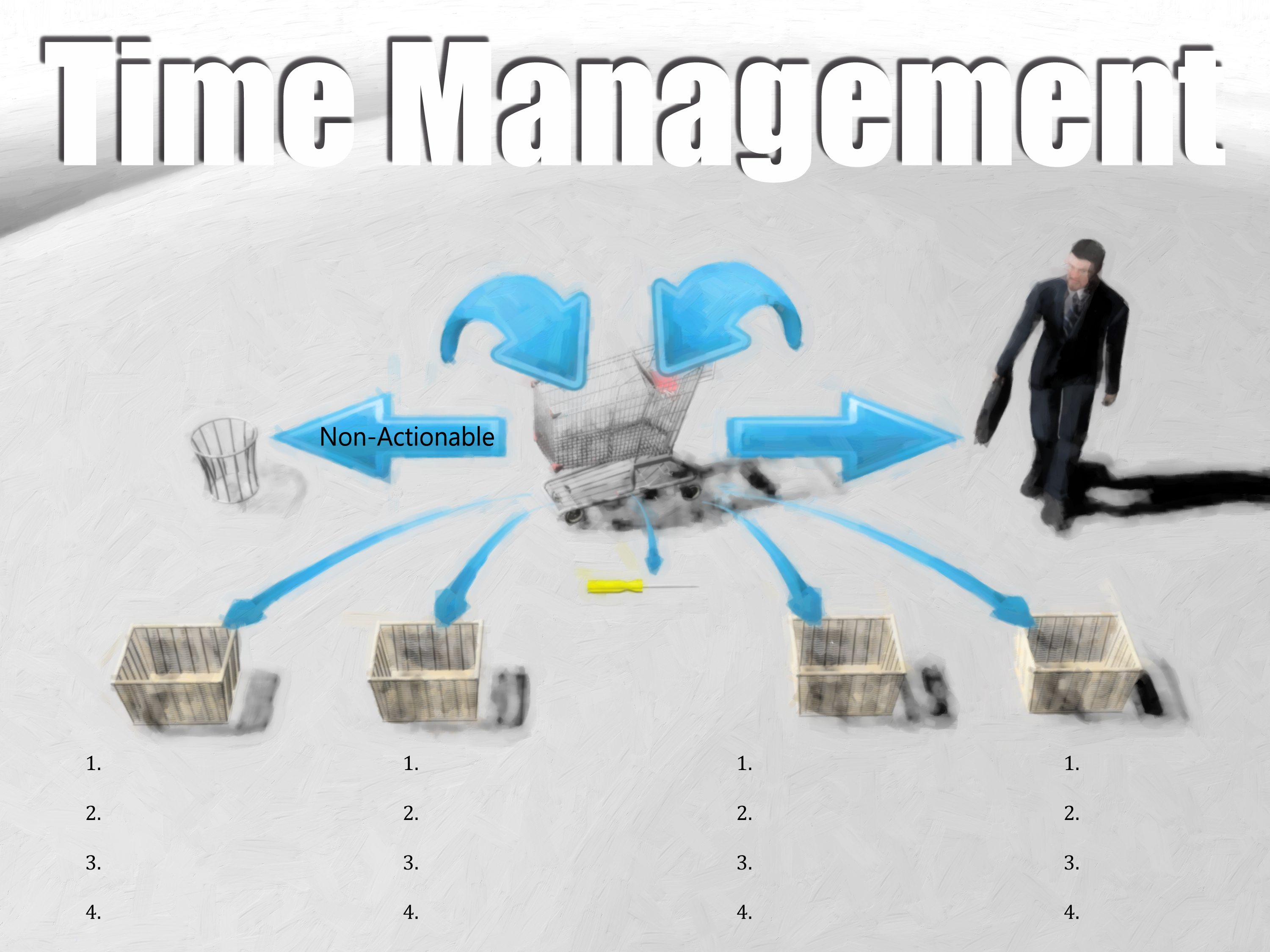
My favorite, most practical book on Time Management is the book, Getting Things Done by David Allen. I’ve given you a diagram here of his thesis for how to organize yourself in order to get things done in an efficient manner.
I’ve often worked off of a “to-do” list, but I’ve found that to-do list to be quite unwieldy. Allen said that basically when things come into your grocery cart (all those things that you have to do), they can be delegated one, two, three, four ways.
He says, “First of all something will come into your grocery cart that’s non-actionable.” That means you need to take no action on it. It could immediately go to the trash.
You have things come into your grocery cart that can be delegated to others. Remember our poster on delegation? Make sure you delegate authority with the task, but you can delegate some of it so you can quickly get it off your plate.
You’ll see a little screwdriver down there which means for some tasks you can pick up your tools and go to work on it right away — get it done — get it out of there.
Then, there are those items that finally remain. And they go into baskets. This is where the book most refined my use of the to-do list.
Each of these baskets is actually a to-do list, but they’re in different segments of my world. One might have to do with my direct reports. One might have to do with my superiors. One might have to do with my vendors. You get the idea.
The labels on the baskets will change from person to person, but under each go all the items that I need to do in that particular basket. Not only that, but I need to number the items in priority from most important to least important and keep track of my world in that way.
When I took on new responsibilities at Tenaska, I knew I needed a system that was going to be more sophisticated than the system I had been using. This system I ended up settling on.
I was happy to find that as I went in and typed the word “getting things done”, there was an iPhone app that fit well with this system. I also used Siri. I use it a lot.
Usually, when I think of something to do I’m driving away after a meeting. I need to remind myself. I use Siri, I hit “talk” and then I speak into it what I want. So, I might say “email Dave Arch subject “Remember to prompt yourself regarding next Thursday’s meeting.””
And then I hit “send”. It will send me an email that has that subject line and text about what I needed to remember to do. So, when I go to check my email the next time, it will be there.
Siri coupled with the Time Management system in David Allen’s book Getting Things Done has worked for me. I offer it to you, not that it will necessarily work, but I offer it to you as an option. Possibly some pieces can supplement what you’re currently doing.
Why not download an Executive Summary of the book Getting Things Done by clicking HERE.
Categories: Schedule Orientation, Structure, Time Competency
 Magic Club Leadership Resources